Fees and finance
School fee management software with online payment
Fee collection is where most school offices lose the most time, and where a mistake costs the most goodwill with parents. JCABS keeps one fee ledger per student, so the accounts desk, the principal and the parent all see the same dues, payments and receipts.
Parents can pay from the app through the payment gateway your school already uses. Online payments land in the same ledger as cash, cheque and UPI payments taken at the counter — there is no second register to reconcile at the end of the day.
What you can do with Fee Management
Fee structure
- Fee types for everything you charge — tuition, admission, exam, lab, activity, and so on
- Fee groups assigned to classes, each with its own due dates
- Late fines, as a fixed amount or a percentage
- Discounts for siblings, staff wards, scholarships or anything else you define
- Carry forward unpaid balances from the previous session
Collection
- Collect at the counter by cash, cheque, UPI, card or bank transfer
- Online payment through Razorpay, Paytm, PayU, CCAvenue or Instamojo, on your school’s own merchant account
- Parents pay from the app using a secure payment link for each fee
- Printable fee receipts, and receipts parents can save from the app
- Search payments by student, and search due fees across the whole school
Transport and hostel fees
- Transport fees generated from the fare of each student’s pickup point
- Hostel charges set per room type
Reports and accounts
- Collection reports by day or date range, and balance-due reports by class
- Income and expense heads for the rest of the school’s accounts
- Every fee transaction tied to the staff member who recorded it
Happens automatically
- Fee reminders go out by SMS and email a set number of days before a due date, and again after it if the fee is still unpaid
- Fines are calculated on overdue fees, so the counter staff never work them out by hand
In the school app
Fee Management for parents, students and teachers
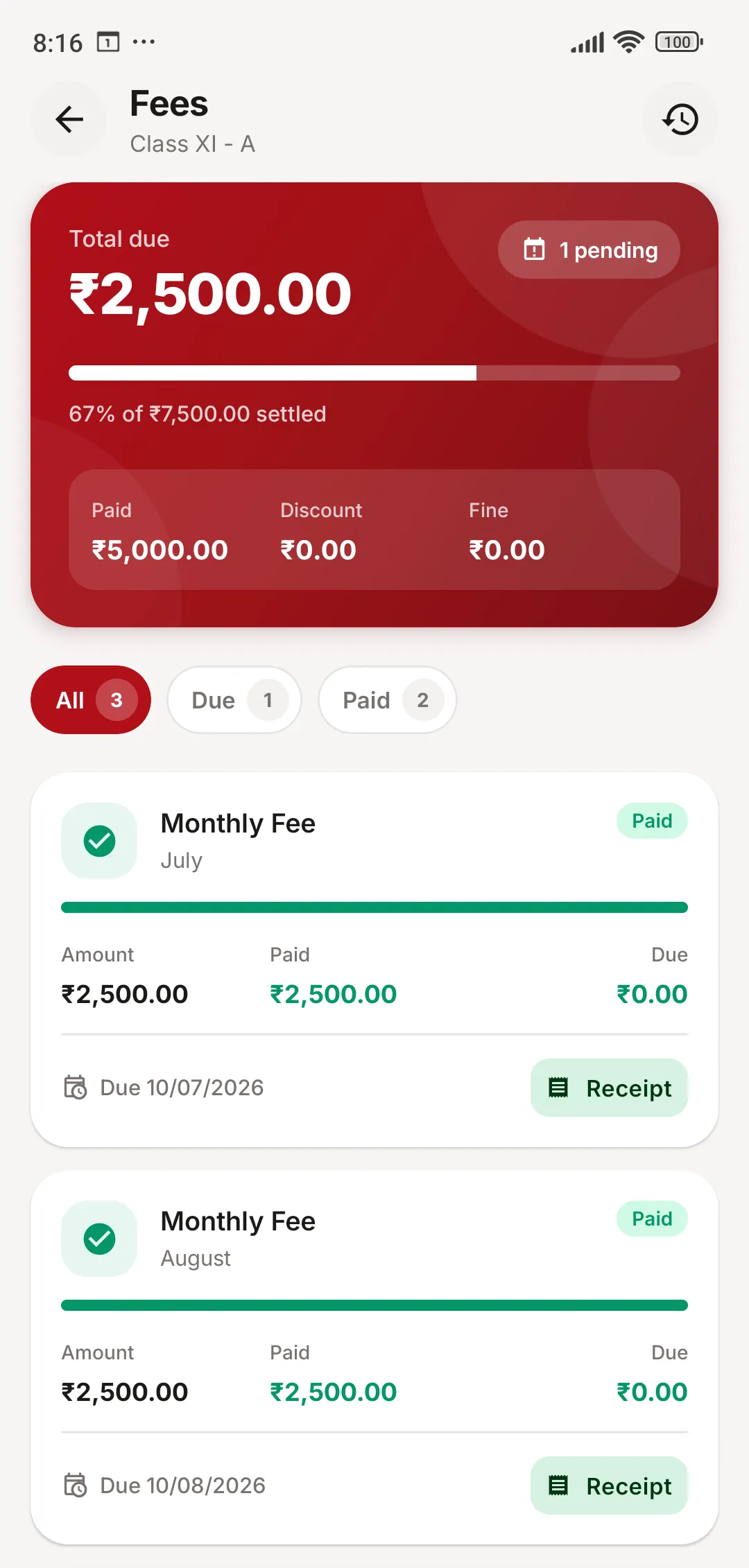
Parents see what is due, what is paid, and download every receipt.
- Total due and the share already settled, per child
- Each fee with its due date, payment status and receipt
- Pay online without visiting the school office
Fee Management: common questions
Something else on your mind? Write to us at [email protected].
Which payment gateways can we use?
Razorpay, Paytm, PayU, CCAvenue and Instamojo are built in, along with international gateways such as Stripe and PayPal. Your school connects its own merchant account, so fee money settles directly into the school’s bank account.
Can parents pay fees from the mobile app?
Yes. Each unpaid fee in the app opens a secure, short-lived payment link. Once the payment succeeds, it appears in the student’s ledger and the receipt is available straight away.
Can we give sibling, staff-ward or scholarship discounts?
Yes. You define the discounts your school offers and assign them to students. They are applied when fees are collected and show up on receipts and reports.
Do fee reminders go out automatically?
Yes. You choose how many days before and after the due date reminders should go, and JCABS sends them by SMS and email to the parents of students with fees still due.
Works together with
Accounts & Inventory
Income and expense heads, stock, stores, suppliers and items issued to staff.
Learn more about Accounts & InventoryTransport
Routes, pickup points and fares, vehicles, student assignment and transport fees.
Learn more about TransportCommunication
Notice board, SMS and email to any group, app notifications, chat and the school calendar.
Learn more about CommunicationSee JCABS with your own school’s data in mind
Book a free online demo. Bring your fee structure and a sample report card, and we will show you how they work in JCABS.