Students and academics
Homework, lesson plans and online learning
The school diary moves to the phone. Teachers set homework with due dates and reference files; students submit from the app; teachers evaluate and leave remarks. Parents see the same list, so “I didn’t know there was homework” stops being an excuse.
Beyond homework, JCABS keeps lesson plans and syllabus progress visible to parents, shares study material through a download centre, and runs live classes on Zoom or Google Meet where your school uses them.
What you can do with Homework & Learning
Homework
- Homework with due dates and file attachments
- Students submit their work from the app
- Teachers evaluate submissions and add remarks
- Homework reports showing what is pending, submitted and evaluated
Lessons and syllabus
- Lesson plans broken down into lessons and topics
- Syllabus status, so parents can see what has been covered and what is next
Study material and online learning
- Download centre for assignments, study material, syllabus and other files
- Online courses for self-paced learning
- Live classes and meetings on Zoom or Google Meet
- Daily Learning: the GK fact and word of the day teachers write on the board, posted to every student’s app
Happens automatically
- When a student misses several homework deadlines in a row, JCABS notifies them and their parents — once per streak, not every day
In the school app
Homework & Learning for parents, students and teachers
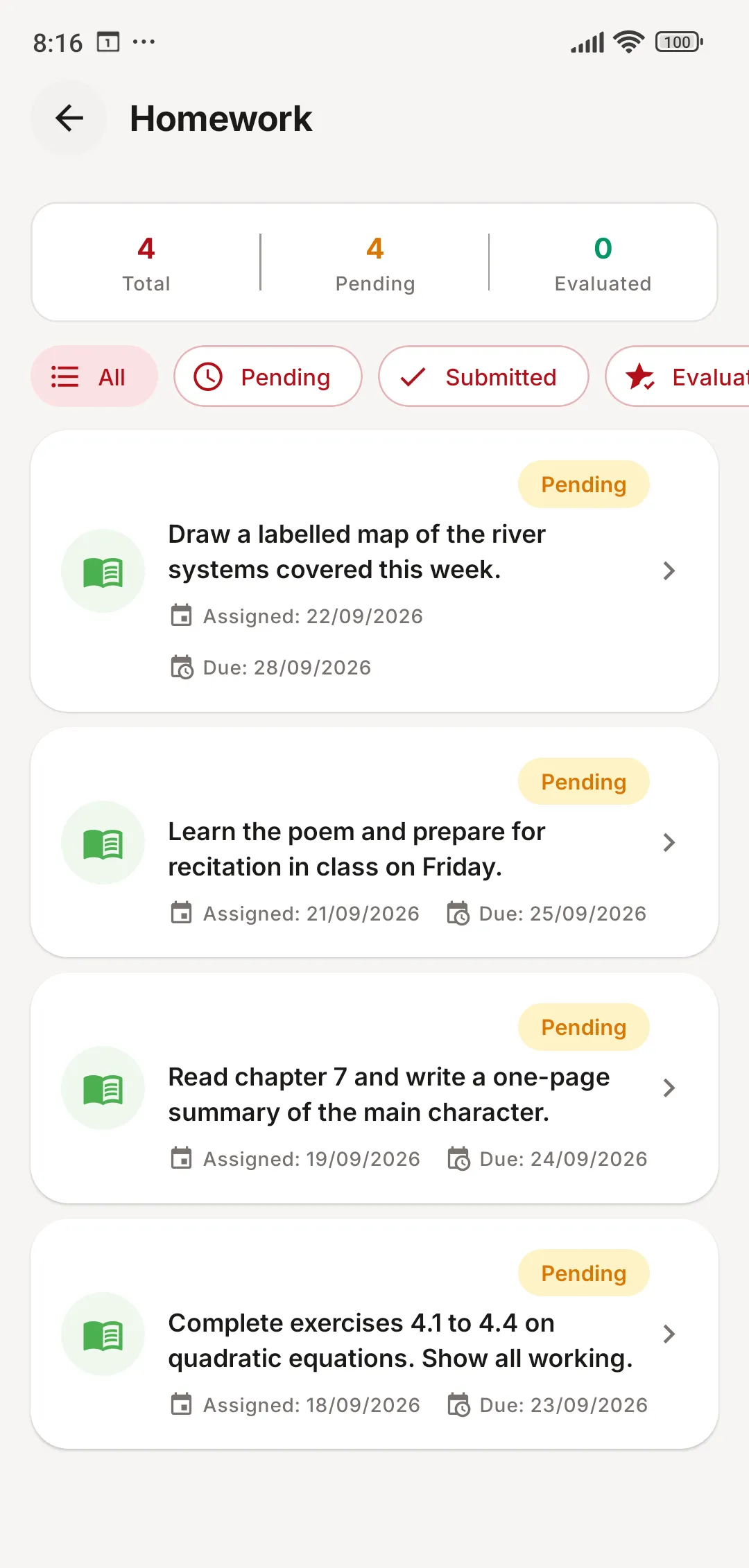
Every task with its due date and status, for students and parents.
- Pending, submitted and evaluated, at a glance
- Attachments and teacher remarks on each task
- Submit work straight from the phone
Homework & Learning: common questions
Something else on your mind? Write to us at [email protected].
Can students upload their homework from the app?
Yes. Students open the task, attach their work and submit it. Teachers then evaluate it and add remarks, which the student and parent see.
Do you support live online classes?
Yes. Live classes and meetings can run on Zoom or Google Meet; students join from the app and past sessions are listed there too.
What is Daily Learning?
Teachers post the day’s GK fact or a word with its meaning from the staff app, and it appears for every student and parent — the same thing that goes on the board, without anyone copying it into a diary.
Works together with
Exams & Report Cards
Exam schedules, marks entry, your own grading scales, admit cards, report cards and online exams.
Learn more about Exams & Report CardsTimetable
Class and teacher timetables, class teachers, subjects, and period-by-period substitution.
Learn more about TimetableCommunication
Notice board, SMS and email to any group, app notifications, chat and the school calendar.
Learn more about CommunicationSee JCABS with your own school’s data in mind
Book a free online demo. Bring your fee structure and a sample report card, and we will show you how they work in JCABS.